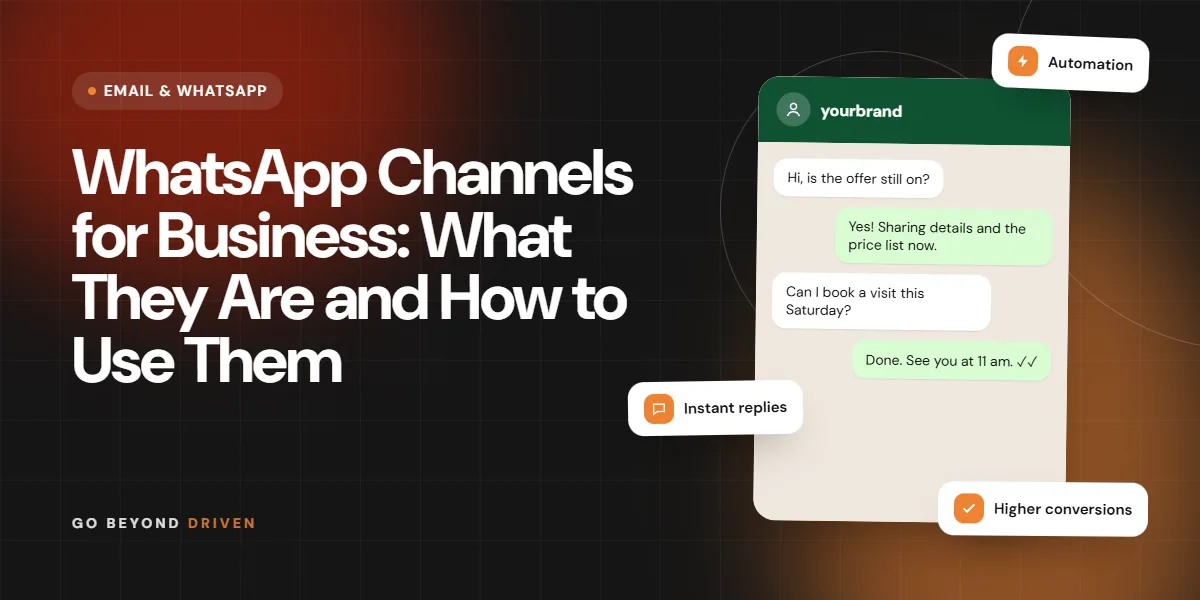
The WhatsApp Business API is the version of WhatsApp built for companies that need to message customers at scale, connect chats to software and let several agents or automations share one number. Unlike the free WhatsApp Business app, it has no chat screen of its own. You use it through a provider's dashboard or your own systems, which unlocks approved message templates, broadcasts to opted-in customers, chatbots, CRM links and reporting. In India it has become the backbone of order updates, appointment reminders, lead follow-up and support. This guide explains how WhatsApp Business API India setups work, when you actually need one, how approval and pricing are structured, and the mistakes that get numbers restricted.
What is the WhatsApp Business API?
The WhatsApp Business API, now offered through the WhatsApp Business Platform, is an interface that lets a verified business send and receive WhatsApp messages through software instead of a phone screen. Meta provides the platform, and businesses connect either directly through the Cloud API or through a Business Solution Provider that adds a dashboard, inbox and tools.
Because messages flow through software, you can connect them to a CRM, an ecommerce store, a booking system or a chatbot. Several team members can answer from one number, automated flows can reply at any hour, and every message can be logged and measured. The trade-off is that you work within Meta's rules on opt-in, templates and quality. Think of it as a shared business inbox with automation on top, rather than a bigger version of your personal chat. That framing helps you plan staffing, response times and handovers before any technology is chosen.
How is the WhatsApp Business API different from the WhatsApp Business app?
The app is a free phone tool for very small teams: a business profile, a catalogue, labels and quick replies, usable on one phone and a few linked devices. The API is a platform for scale. It supports approved templates, bulk sending to opted-in contacts, automation, many agents, and integrations, but it needs a provider or developer and has usage-based charges.
A clinic with one receptionist answering patients may be fine on the app. A D2C brand sending thousands of order updates, or a real estate team routing leads between agents, will outgrow it. Note that a number registered on the API generally cannot also run in the normal app at the same time, so plan your number carefully. Many businesses keep their existing number on the app for personal-style conversations and register a fresh number for the API, which avoids losing chat history and lets the team test automated flows safely.
Signs you have outgrown the app:
Who can get WhatsApp Business API access in India?
Any legitimate business with a Facebook Business Manager account, a business website or similar proof, and a phone number that is not already tied to a regular WhatsApp account can apply. You verify your business with Meta, choose a display name that matches your brand, and connect through a provider or the Cloud API.
Certain categories are restricted by WhatsApp's commerce and business policies, so read the current policy before building a plan around products like tobacco, certain financial offers or regulated goods. Approval of a display name and a green tick is separate from basic access, and the green tick is not guaranteed.

How do you get started with the WhatsApp Business API?
A typical path has five steps. First, set up and verify your Meta Business account. Second, choose a provider or decide to use the Cloud API with a developer. Third, register a clean phone number and display name. Fourth, create message templates for the notifications you plan to send and submit them for approval. Fifth, connect your CRM or store and test flows end to end before launch.
Do the unglamorous planning first: write down your use cases, who replies, in what hours and how handovers work. Collect opt-ins properly on forms, checkout and WhatsApp itself, with a clear line saying what kind of messages the customer will receive and roughly how often. Test every template with a few team phones, including how it looks on smaller screens and slower networks, before you let real customers see it. Our WhatsApp marketing services page explains how we handle setup and templates for clients.
How does WhatsApp Business API pricing work?
Pricing has two layers: what Meta charges and what your provider charges. Meta bases its fees on the message category, such as marketing, utility, authentication and service conversations, and on the recipient's country. Rates and the exact billing method have changed over time, so check Meta's current rate card instead of relying on a blog post, including this one.
Providers then add their own pricing, which may be a monthly platform fee, a per-seat fee, a markup on messages or a mix. Ask for a written breakdown of platform fees, per-message costs, setup charges and what happens when you exceed limits. Our overview of WhatsApp marketing cost in India helps you compare the options.
FAQs: How does WhatsApp Business API pricing work?
Are replies to customers free?
Some customer-initiated conversations have been free or low cost within a service window, but the rules change. Check Meta's current pricing documentation and your provider's invoice to see what applies to your messages.
Do I pay even if a message is not read?
Billing generally depends on the message being delivered under the applicable category, not on it being read. Confirm the current rule with your provider, since billing definitions get updated.
What are message templates and why do they need approval?
Templates are pre-approved message formats that you must use when you start a conversation outside the customer's recent reply window. They can include variables, such as a name or order number, and buttons for quick replies or links. Meta reviews them for category, clarity and policy compliance.
Write templates plainly: say who you are, why you are messaging and what the customer can do next. Avoid vague or misleading text, and put the right category on each template. Marketing messages sent as utility templates can be reclassified or rejected. Keep a library of approved templates for order, delivery, appointment, payment and follow-up messages so you do not wait on approvals when you need them. If you serve customers in Hindi, Marathi or Gujarati, submit language versions as separate templates and check how the variables read in each language.

What are the best use cases for Indian businesses?
The strongest uses are transactional and conversational: order confirmations, shipping and delivery updates, appointment reminders, payment links, abandoned-cart nudges to opted-in shoppers, lead follow-up and support triage. A restaurant can confirm table bookings, a clinic can send reminders and a real estate team can send site visit details with a map pin.
Click-to-WhatsApp ads add another entry point by opening a chat from Facebook or Instagram. Read our click to WhatsApp ads guide for that route. Keep promotional sends relevant and infrequent, because over-messaging pushes users to block or report you, which lowers your quality rating. A good rule is to ask whether the message helps the customer do something they already wanted to do. A reminder before a Saturday appointment passes that test. A fourth discount blast in a week does not.
High-value WhatsApp API use cases:
How do you avoid getting a WhatsApp number restricted?
Collect clear opt-in, honour opt-outs immediately, send only relevant content and avoid sudden high-volume blasts from a new number. Watch your quality rating and messaging limits in the dashboard. Many blocks, reports and low engagement lead to lower limits and, in serious cases, restriction.
Warm up gradually, segment audiences so people receive messages that suit them, and give users an easy way to stop. Never buy lists or scrape numbers. Use a human handover for sensitive queries. If your quality drops, pause promotional sends and fix the cause before continuing. Review a sample of replies every week as well, since angry or confused responses often reveal a template that promised more than the follow-up delivered.
Final thoughts
The WhatsApp Business API is worth it when you need scale, automation and shared inboxes, and not before. Plan opt-ins, templates, handovers and costs up front, check Meta's current rules and keep messages useful. If you want help deciding whether to stay on the app or move to the API, Go Beyond Driven offers a free marketing audit. You can also read about SMS vs WhatsApp marketing or call +91 91378 79539.