A website maintenance checklist is a repeating list of small jobs that keeps your site secure, fast, accurate and working for customers: updating software, taking backups, testing forms, fixing broken links, renewing domains and refreshing content. Most business sites do not fail in one big crash. They decay quietly. A plugin goes out of date, a contact form stops sending mail, a price on a page is two years old, and nobody notices until enquiries dry up. This guide gives you a realistic schedule you can follow or hand to your developer, with specific checks for each interval and an honest view of what maintenance costs in India.
What is website maintenance and why does it matter?
Website maintenance is the routine upkeep that stops a live site from breaking, slowing down or being hacked. It is separate from building the site and separate from marketing it. Think of it like servicing a car: nothing looks wrong until the day it does, and by then the repair costs more than the service would have.
For a business, the stakes are practical. A broken enquiry form means lost leads. An expired SSL certificate shows visitors a scary browser warning. Outdated software is the most common way small business sites get hacked. And a site that loads slowly on a Mumbai local train commute loses people before they read a word.
What should a weekly website maintenance checklist include?
Weekly jobs take about fifteen minutes and catch the problems customers notice first. Open your site on your phone and on a laptop, load the homepage and two key service pages, and confirm they look right. Submit your own contact form and check that the email arrives, then do the same for any WhatsApp or call button. If you sell online, place a test order using a small-value product or a test mode.
Also scan for comments and form spam, and check that your uptime alert has not fired. If you run a blog or news section, make sure the last post published properly. These are the failures a customer sees before you do, which is why they come first.
Weekly checks in fifteen minutes:
What should you check every month?
Monthly is the right rhythm for updates and housekeeping. Update your content management system, themes and plugins after taking a fresh backup, and test the site afterwards. Run a broken link check and fix or redirect anything that returns a 404 error. Look at Google Search Console for new errors, pages that dropped out of the index and any security or mobile usability warnings.
Review your analytics for sudden changes in traffic or conversions, since a drop often points to a technical fault. Delete unused plugins, old drafts and spam users. Check that your popups and cookie banners still work, and that the phone number, address and opening hours on every page match your Google Business Profile.
What needs attention every quarter and every year?
Every quarter, run a speed test on your top pages, review your forms and checkout flow for friction, and read through your main service pages for outdated offers, expired prices and old team photos. Restore a backup to a test location at least once to prove it actually works. A backup you have never restored is a hope, not a plan.
Once a year, renew the domain and hosting well before the expiry date, review who has admin access and remove former staff and agencies, and check your privacy policy and terms against how you really collect data. Review your design against current devices. If the site is more than three or four years old, plan a refresh, and use our website redesign checklist to decide what to keep.
How do you update a WordPress site safely?
Always take a full backup first, then update in a staging copy if your host offers one. Update plugins one at a time rather than all at once, so you know which one caused a problem. Update WordPress core and your theme last, and then test the pages that matter: homepage, forms, checkout and anything built with a page builder.
Avoid abandoned plugins that have not been updated by their authors for a long time, and avoid cracked or nulled themes, which often carry malware. If a custom theme breaks after an update, roll back from your backup rather than editing live files in a panic. Keep a simple log of what was updated and when.
FAQs: How do you update a WordPress site safely?
Should I turn on automatic updates?
Automatic updates for minor WordPress releases and security patches are usually sensible. For major plugin and theme updates on a business or shop site, test first, because an automatic update can quietly break a form or checkout.
What if an update breaks my site?
Restore the backup you took before updating, or roll the single plugin back to its previous version. Then contact the plugin developer or your web team before trying the update again.
How often should you back up your website?
Back up as often as your content changes. A brochure site that changes monthly can run weekly backups. A shop taking orders every day needs daily backups, and a busy store may need near real-time database backups so no orders are lost. Keep at least two or three recent copies, and store them away from the web server, for example in cloud storage, not only on the host.
Back up files and the database together. Check that backups include uploads, themes and settings, not just pages. Many hosts provide backups, but their retention is limited and sometimes excluded from cheaper plans, so ask your host exactly what they keep and for how long. Do not depend on a single copy from a single place.
Why are speed and uptime part of maintenance?
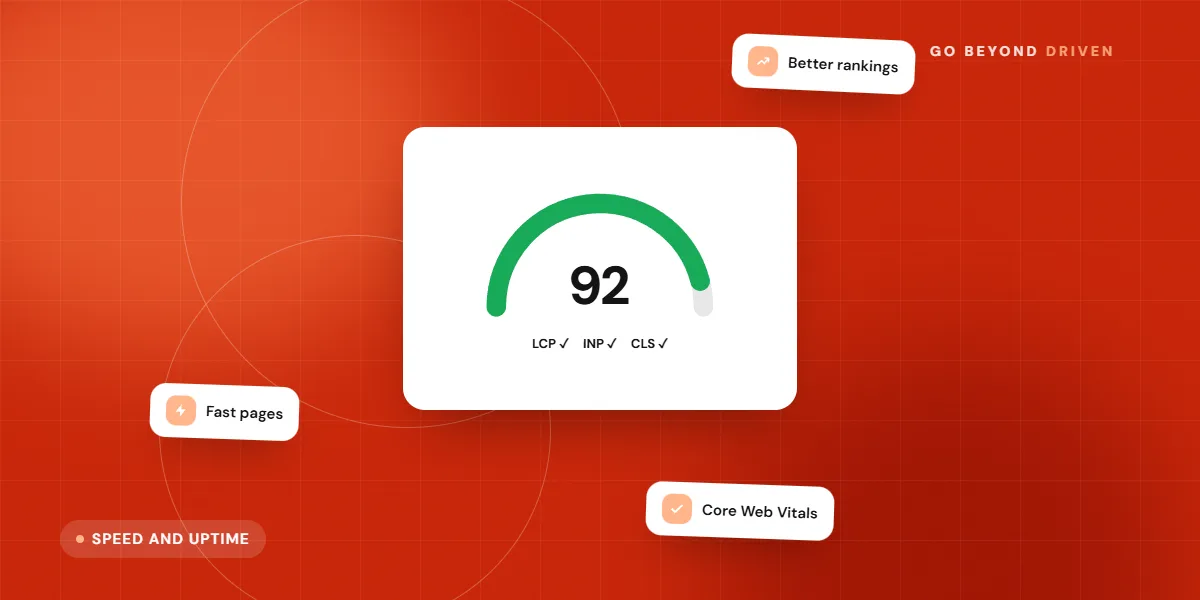
Speed degrades over time as images get added, plugins pile up and tracking scripts multiply. Make speed a standing check rather than a one-off project. Compress new images before uploading, remove scripts you no longer use and test your key pages on a mid-range Android phone over mobile data, which is how many Indian visitors will see them. Our guide to website speed and Core Web Vitals explains the numbers to watch.
Uptime monitoring is free or cheap and worth setting up on day one. A monitor pings your site every few minutes and sends an email or WhatsApp alert when it goes down, so you hear about an outage before your customers tell you.
What to monitor automatically:
How much does website maintenance cost in India?
Costs vary with site size and risk. Basic care for a small brochure site, covering updates, backups and a monthly check, often costs a few thousand rupees a month when bought from a freelancer or agency, and more for ecommerce or large custom sites. Annual contracts are sometimes cheaper than month-to-month. Treat any quote as a range and ask for the scope in writing.
Compare what is included: how many content edits, whether security cleanup is covered, response times for emergencies, and who pays for premium plugins and licences. Hosting, domain renewals and GST are usually separate. Avoid plans that promise unlimited work for a very low fee, because the support is usually thin.
Should you maintain the site yourself or hire help?
Content edits, weekly checks and reviewing reports are easy for an owner or office manager to handle. Updates, backups, security work and speed fixes are better handled by someone who can fix things when they go wrong. A common split is that you own the content and checks, while a web team owns the technical layer under a small monthly plan.
Whoever does it, write down the logins, the hosting provider, the domain registrar and the renewal dates in a shared document that is not tied to one person's email. Many Indian businesses lose control of their own site when a freelancer leaves and takes the passwords with them.
Final thoughts
A website maintenance checklist works because it turns invisible risk into small, scheduled jobs. Start with the weekly checks this week, put the monthly and yearly dates into a calendar, and decide who owns each task. If you would like a second pair of eyes on your site's health, speed and enquiry flow, book a free marketing audit with Go Beyond Driven, or read about our website design and development services.