
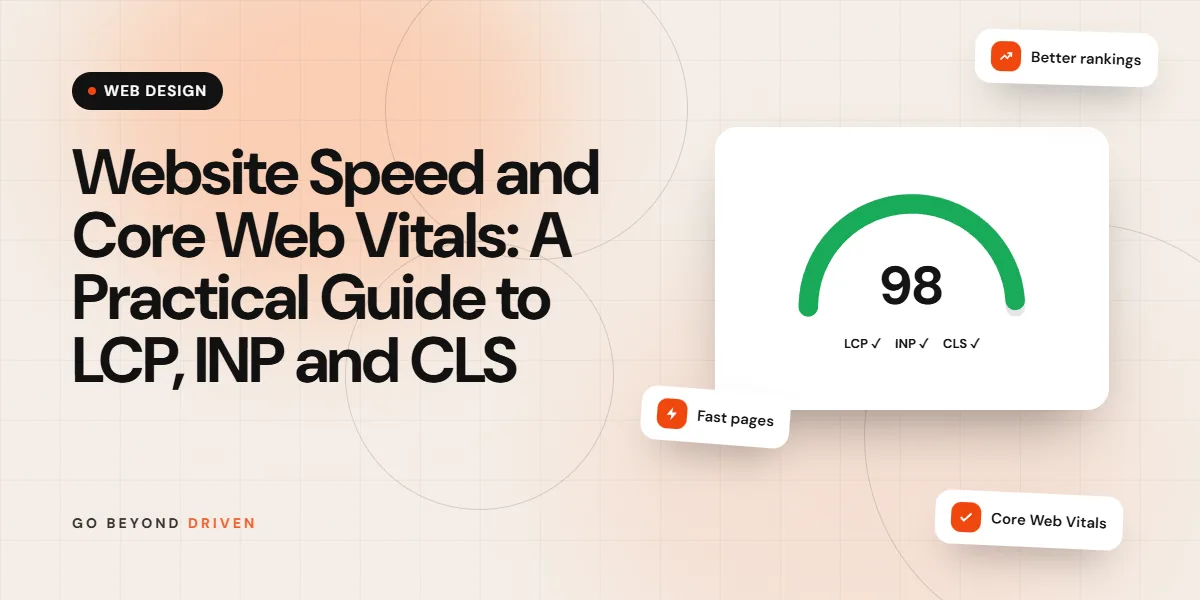
Core Web Vitals are three measurements Google uses to judge how a page feels to real visitors. Largest Contentful Paint (LCP) measures loading and should be 2.5 seconds or less. Interaction to Next Paint (INP) measures responsiveness and should be 200 milliseconds or less. Cumulative Layout Shift (CLS) measures visual stability and should be 0.1 or less. Pass all three and your site feels fast, keeps more visitors and supports your SEO. This guide explains each metric in plain language, shows how to measure them correctly and lists the fixes that usually make the biggest difference for Indian business websites.
Why Does Website Speed Matter So Much in India?
Most Indian visitors reach your website on a smartphone, often a mid-range Android device on a mobile network that varies from excellent to patchy within the same commute. A page that feels instant on office Wi-Fi in BKC can feel sluggish on a crowded local train. Every extra second of waiting increases the chance that someone presses back and chooses a competitor from the search results or the next ad in their feed.
Speed affects every channel. Slow landing pages raise your cost per lead because you pay for clicks that never see the offer. Slow product pages reduce add to cart rates. Slow service pages lose enquiries. Google also uses page experience signals, including these vitals, as part of how it ranks pages, although relevance and content quality remain more important. In simple terms, speed rarely makes a weak page rank, but a slow site can hold a strong page back.
What Are Core Web Vitals?
These three metrics are part of Google's page experience signals. They focus on three questions every visitor silently asks. Is the main content showing up? Does the page respond when I tap? Is the layout stable, or does it jump around? LCP answers the first, INP the second and CLS the third. INP replaced an older metric called First Input Delay in 2024 because it gives a fuller picture of responsiveness across the whole visit.
Google assesses these metrics using real user data from Chrome, collected over the previous 28 days, and looks at the 75th percentile. That means three out of four visits should meet the good threshold. A perfect score on your own fast laptop does not count for much if most of your customers browse on slower phones. This is why lab tests and real user data sometimes disagree, and why you need to look at both.
Targets for a good score:
What Is LCP and How Do You Improve It?
Largest Contentful Paint measures how long it takes for the largest visible element, usually the hero image, a banner or a main heading, to appear on screen. Poor LCP often comes from slow server response, large uncompressed images, render-blocking CSS and JavaScript, or hero images loaded late because they are set as CSS backgrounds or lazy loaded by mistake. On many business sites, a single oversized banner image is the main culprit.
To improve LCP, start with the server: good hosting, caching and a CDN reduce time to first byte. Then optimise the LCP element itself. Serve images in WebP or AVIF, size them correctly for mobile, add a fetch priority hint to the hero image and never lazy load it. Inline critical CSS, defer non-essential scripts and preload key fonts. Replacing an autoplay video or slider with a single optimised image often improves LCP dramatically with no loss in conversions.
What Is INP and How Do You Improve It?
Interaction to Next Paint measures how quickly a page visibly responds after a visitor taps, clicks or types. If someone taps a menu button, an add to cart button or a filter and nothing happens for half a second, the page feels broken. INP looks at interactions throughout the visit and reports one of the slowest, so a page that is fine at first but becomes sluggish after scripts load will still score poorly.
The main cause of poor INP is too much JavaScript running on the main thread. Heavy page builders, multiple tracking tags, chat widgets, sliders, pop-up tools and large frameworks all compete for the same processing time on a modest phone. Fixes include removing unused plugins and scripts, delaying non-critical third-party tags until after user interaction, breaking long tasks into smaller pieces, and simplifying complex menus and filters. Audit your tag manager regularly, because old campaign tags tend to pile up.
What Is CLS and How Do You Fix Layout Shifts?
Cumulative Layout Shift measures how much visible content moves unexpectedly while the page loads. You have experienced it when you try to tap a link and an ad or banner pushes it down, so you tap the wrong thing. Common causes are images and videos without set dimensions, ads and embeds that load late, cookie or offer banners inserted at the top of the page, and web fonts that swap in with different sizes.
The fixes are mostly simple. Always set width and height or an aspect ratio on images, videos and iframes. Reserve space for ad slots, embeds and dynamic content. Show banners as overlays rather than pushing content down, or reserve their space from the start. Use font-display settings and fallback fonts with similar metrics to reduce font swap shifts. CLS is often the easiest of the three metrics to fix, and it noticeably improves how polished a site feels.
How Do You Measure LCP, INP and CLS Correctly?
There are two kinds of data. Field data comes from real Chrome users visiting your site and is what Google uses for its assessment. You can see it in the page experience reports inside Google Search Console and in the top section of PageSpeed Insights, if your site has enough traffic. Lab data comes from a simulated test on a single device and connection, such as Lighthouse in Chrome DevTools or the lower section of PageSpeed Insights. Lab data is useful for diagnosing problems and testing fixes quickly.
Use Search Console to find groups of URLs with poor scores, then test a representative page in PageSpeed Insights to see what is causing the problem. Check mobile results first, since that is where most issues appear. After making changes, remember that field data updates over a 28 day window, so improvements take a few weeks to show fully. Keep a simple log of what you changed and when, so you can connect improvements to specific fixes.
FAQs: How Do You Measure LCP, INP and CLS Correctly?
Why is my PageSpeed score different every time?
Lab tests vary with server load, network conditions and third-party scripts. Run several tests and focus on the trend and field data rather than a single score.
Is a 100 PageSpeed score necessary?
No. The goal is passing LCP, INP and CLS for real users. A score in the green range with good field data is more valuable than chasing a perfect lab number.
Hosting, CDN and Caching: Fixing the Foundations
No amount of front end tuning can fully compensate for a slow server. Cheap shared hosting often packs hundreds of sites onto one machine, so your response time depends on your neighbours. For a growing business site, managed WordPress hosting or a cloud server with a data centre in or near India, such as Mumbai, usually gives a noticeable improvement in time to first byte for local visitors. Check that the hosting includes server-level caching, a recent PHP version and HTTP/2 or HTTP/3.
A content delivery network stores copies of your images, scripts and sometimes whole pages on servers across many cities, so visitors download them from a nearby location. Combined with page caching, which serves pre-built HTML instead of generating each page on request, a CDN can cut load times sharply. Set long cache lifetimes for static files and purge the cache automatically when content changes, so visitors always see the latest version without losing the speed benefit.
Images, Fonts and Third-Party Scripts
Images are usually the heaviest part of a page. Convert them to WebP or AVIF, compress them sensibly, and serve different sizes for mobile and desktop using responsive image markup. Lazy load images below the fold, but never the hero image. Avoid uploading 4000 pixel photos straight from a camera or phone. For galleries and real estate project pages with many visuals, use thumbnails that open larger images only when tapped.
Fonts and third-party scripts are the next big wins. Limit yourself to one or two font families and a few weights, host them locally where possible and preload the main font. Review every third-party script: chat widgets, heatmaps, multiple analytics tools, social embeds and old marketing pixels. Each adds download time and main thread work. Keep what you actively use, load the rest after interaction, and replace heavy embeds such as YouTube players with lightweight previews that load the full player on click.
Quick speed wins:
Speed Fixes for WordPress Websites
WordPress sites can pass all three vitals comfortably, but they need discipline. Start by counting plugins and removing anything unused or duplicated. Replace heavy multipurpose themes and page builders with a lightweight theme or a block-based design where possible. Use a reputable caching plugin or server caching, an image optimisation tool, and a CDN. Clean the database of old revisions and expired data. Make sure plugins load their scripts only on pages that need them, not sitewide.
If your site was built on a heavy theme years ago, there is a point where fixing it costs more than rebuilding it. Our comparison of WordPress vs custom websites explains when a lean rebuild or a different approach makes sense. For landing pages that receive paid traffic, speed deserves extra attention, and our guide to landing page design best practices covers how to keep them fast without losing persuasive content.
FAQs: Speed Fixes for WordPress Websites
Which caching plugin is best for WordPress?
Several reputable options work well. The best choice depends on your hosting, since many managed hosts provide server caching that makes an extra plugin unnecessary or even counterproductive.
Do too many plugins slow WordPress?
The quality of plugins matters more than the number, but every plugin can add scripts, styles and database queries. Remove anything you do not actively use.
Website Speed Mistakes to Avoid
The most common mistake is testing only on a fast desktop and assuming the site is fine. Others include judging success by a single lab score, installing several overlapping speed plugins that conflict, lazy loading the hero image, adding a new chat or pop-up tool without checking its impact and leaving old tracking tags running long after campaigns end. Many sites also break their own speed work by uploading huge images in new blog posts or banners months after launch.
Another mistake is treating speed as a one-time project. Websites change every week with new content, plugins, campaigns and scripts, and each change can slow things down. Build speed checks into your routine: review the speed reports in Search Console monthly, test key templates after major updates and include performance targets in every website brief. This connects with broader site health, which our technical SEO checklist covers in detail.
Monthly speed routine:
Final Thoughts
LCP, INP and CLS give you a clear, practical way to measure how your website feels to real visitors. Aim for LCP under 2.5 seconds, INP under 200 milliseconds and CLS under 0.1, measured on mobile at the 75th percentile. Fix the foundations first with good hosting, caching and a CDN, then tackle images, fonts and scripts. Speed improvements usually lift conversions and support rankings at the same time, which makes them one of the best value investments for any website.
If your site feels slow or fails these vitals in Search Console, we can help you find and fix the real causes. Book a free marketing audit and our team will review your speed, technical SEO and conversion setup. We work with businesses across Mumbai, from teams near our website design company in BKC page to brands across India, through our SEO services in Mumbai. Meetings can be in person or online.